Haresh. Agent Builder · Sense HQ case study ← All work
Context

This case study details how we built Agent Builder to unlock a critical AI adoption barrier at Sense HQ.

Sense HQ is an AI-powered talent engagement platform used by enterprises and staffing agencies to automate hiring, from candidate discovery and screening to long-term nurturing.

Role
Lead Product Designer
Responsibilities
Led design from 0 → 1: discovery, strategy, end-to-end UX/UI, AI design system, and cross-pillar design language.
Collaborators
4 Product Managers (AI Agent Builder, Workflows, Discover and Voice/Video AI), UX Research, Design System, Data Science and Engineering
Timeline
4 months, kickoff to pilot launch
Impact
AI adoption 38% → 66% · Engagement 44% → 71% · 15 hrs saved per recruiter, every week
The Problem

This is our Workflow Builder, our core platform that helps recruiters automate the whole hiring lifecycle: sourcing, screening, evaluation, messaging and voice interviews.

Genuinely capable product, but it demanded a lot of manual effort and time

By Early 2025

We added multiple AI features like Voice AI screening and automated reach-outs, but product adoption and hiring outcomes started to decline.

38%
Sense AI adoption stagnated at 38%
62%
of recruiter time spent on manual tasks
47%
of customers reported slower hiring cycles
Finding the Gap

The data showed decline. Nothing showed why.

Adoption, manual time, and hiring velocity were all tracked at the outcome level.

I worked with our data analytics team to instrument the setup flow and answer three questions:

  1. Where in the setup flow do recruiters stop?
  2. How long does one workflow actually take to build?
  3. Is the drop-off spread evenly, or concentrated at specific modules?
Findings

They weren't rejecting automation. They were abandoning it mid-setup.

64%of recruiters abandoned automation during setup
2.4 hrsaverage time to configure a single workflow
49%of drop-offs at field mapping and trigger selection
Customer trends

Ran 18 months of support tickets through Claude to cluster by theme, then joined Clarity session data and Amplitude funnels into one view.

Overall data said setup, not output quality — the opposite of what the team assumed.
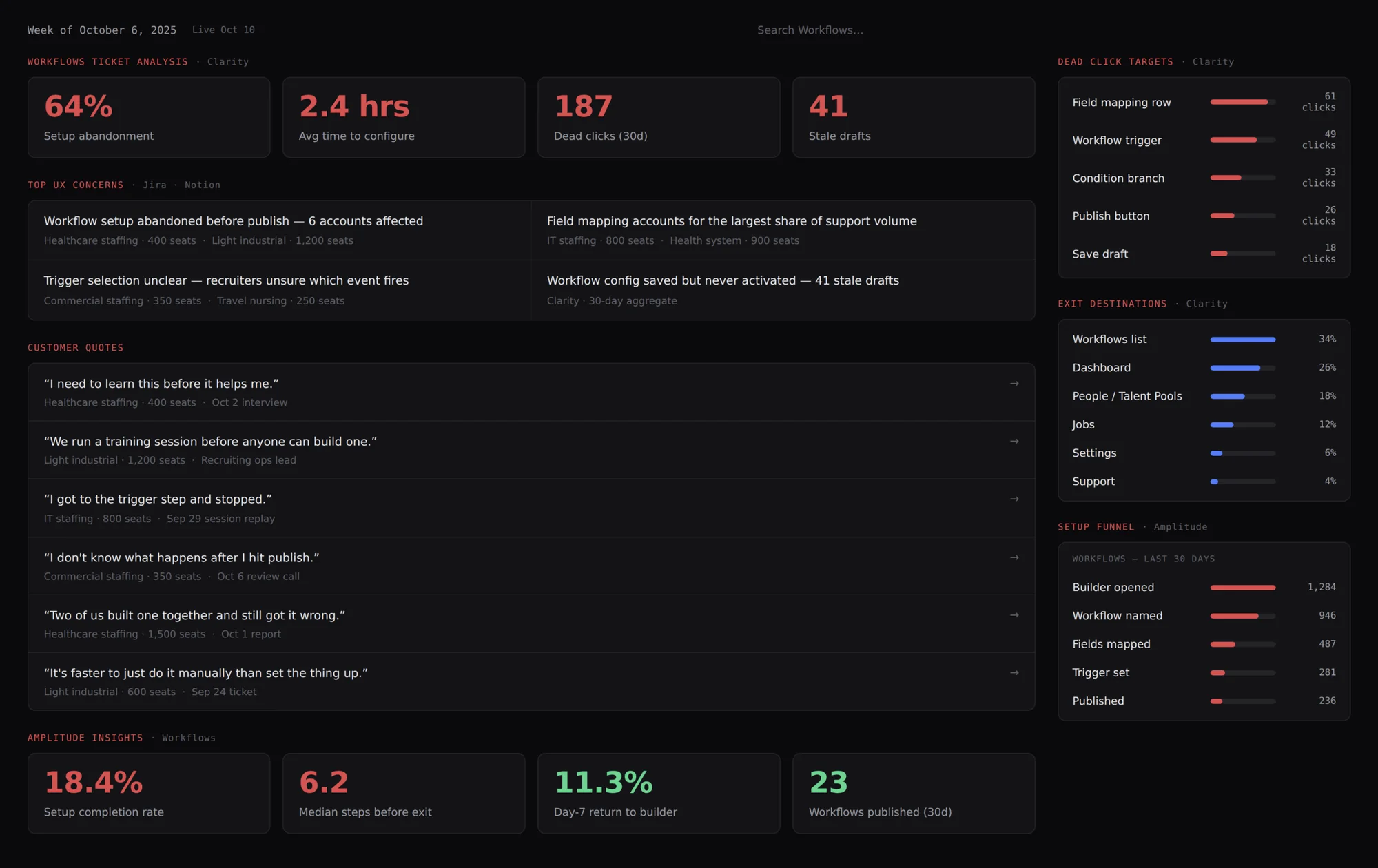
Workflows ticket analysis dashboard: 64% setup abandonment, 2.4 hours average time to configure, 187 dead clicks, 41 stale drafts, top UX concerns, customer quotes, dead click targets, exit destinations and a setup funnel from 1,284 builders opened to 236 published
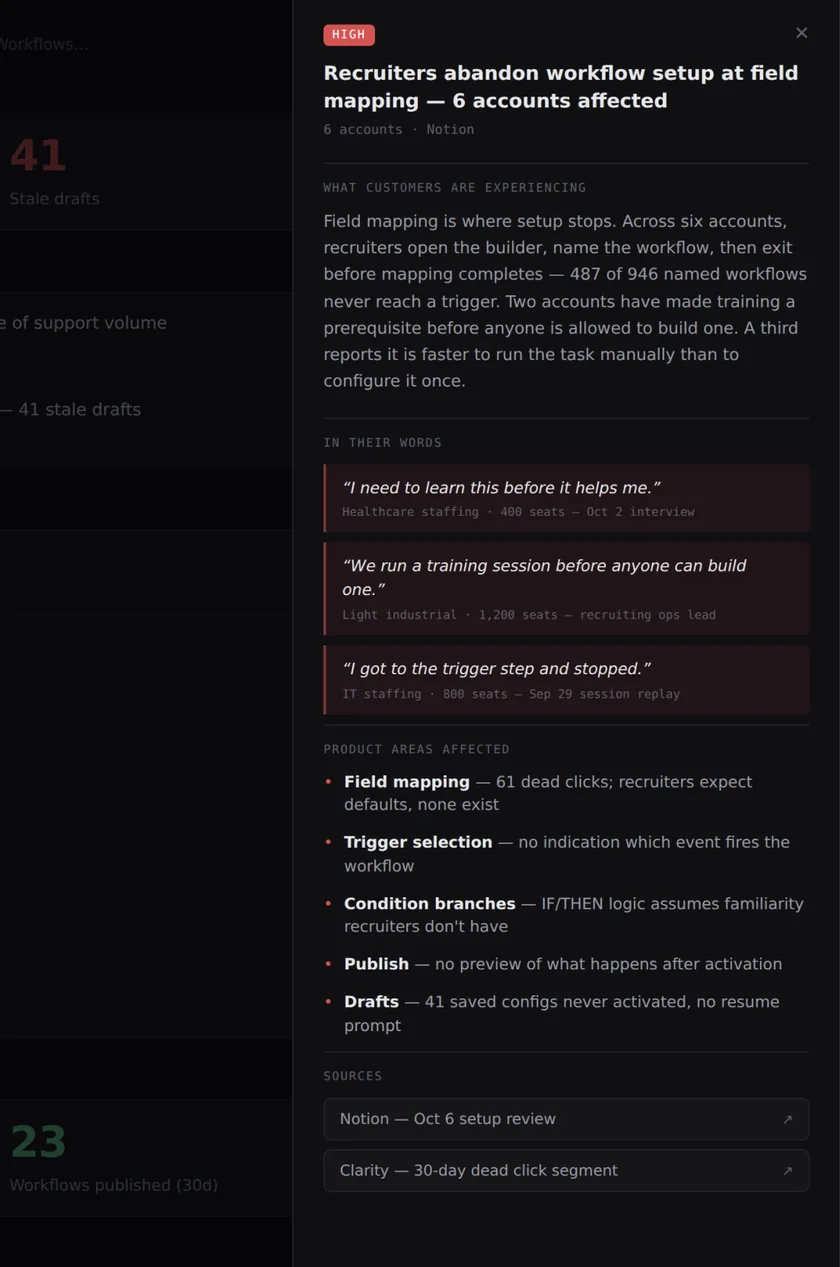
Detail panel for a high-severity concern: recruiters abandon workflow setup at field mapping across six accounts, with customer quotes, affected product areas and sources
User Insights

12 User Interviews  •  48 Accounts Survey

Understand mental model
Trust gaps, or cognitive load?
Where does automation feel helpful, and where risky?

"I need to learn this before it helps me."

Healthcare staffing · 400 seats

"It's faster to just do it manually than set the thing up."

Light industrial · 600 seats
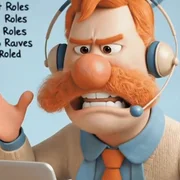
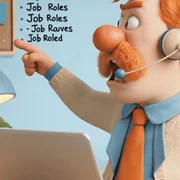
Their biggest frustration was that they had turned into system operators.
12+ open roles. 100+ candidates or more
Create workflows → Map fields →
Configure rules → Select triggers
5 Day EPD workshop

I presented the research — where users were stopping, why they stopped, and what it had cost us.

Stakeholders, Product Leadership & Engineering Leadership

Two days of hands-on work followed — requirements, concepts, feature scope, and timeline.
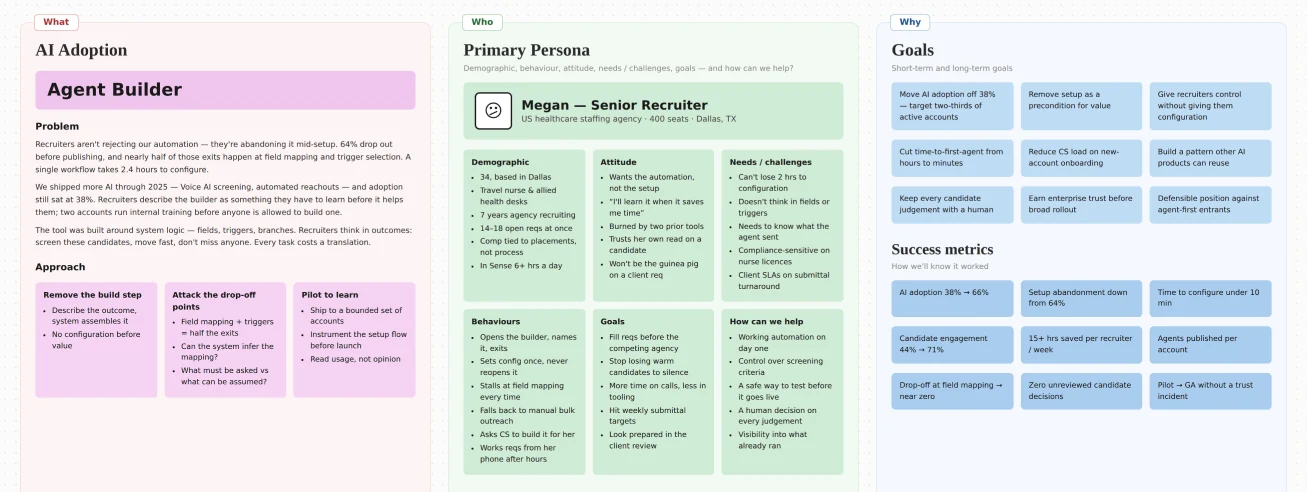
Workshop board: AI adoption problem and approach, primary persona Megan, a senior recruiter, and goals with success metrics
👀 Root Cause

We built for system logic, not recruiter logic.

Recruiters think in outcomes, not steps — "screen these candidates," "move fast," "don't miss anyone."

That gap forced manual configuration on every task, which created cognitive load and eroded trust before value ever landed.

AI adoption didn't fail because the AI was wrong. It failed because it demanded effort before it proved value.

Concept

Hiring outcomes, without thinking in workflows.

Recruiters would describe what they wanted. The system would handle everything underneath — fields, triggers, branches, sequencing.

before

Build the automation, then get the outcome

after

Describe the tasks, the system builds the automation

Illustration: a dashed bridge between two cliffs, from building automations to describing outcomes
Pipeline
Q4'25

Pilot launch with 70 enterprise customers

Q1'26 onwards

Full-fledged launch

Ideation

First few design bets

I pushed multiple prototypes through Lovable to bring the concept to life.

I played with different variants, prioritising aspects like speed, transparency and control in building hiring flows.
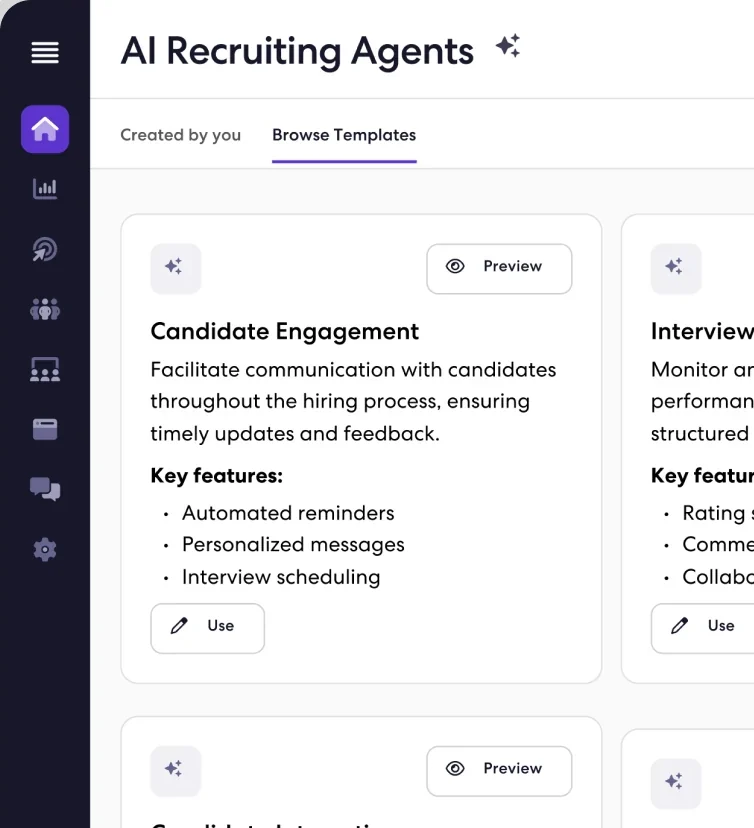
Early Lovable prototype: AI Recruiting Agents with browsable templates such as Candidate Engagement
Version 1 of 3

I bet that transparency would earn trust.

If the system was going to build the automation, recruiters needed to see what it was doing.

So V1 exposed everything — every control, every agent decision, every customization path.

Transparency › Control › Speed

✦ V1 prototype
Every agent action surfaced, every step editable before publish.
V1 shipped to 76 pilot accounts

I was wrong. Transparency didn't build trust — it built overhead.

18–22%of AI actions ran automatically. The rest waited for a human.
72%of AI interactions were user-triggered — clicks and manual prompts.
IgnoredAI suggestions were dismissed rather than reviewed.

"It's just another system to manage."

Recruiting Ops Lead - Corporate

"I want to set it up once and forget about it."

Recruiter - Staffing Agency
Re-evaluation

Three questions I couldn't answer with a better assistant.

  1. What if recruiters never had to build workflows at all?
  2. What if intent alone was enough for AI to act?
  3. What if AI stopped assisting and started owning outcomes?
✦ Competitor research
🚀 The Pivot

V1 Assistants → Agents

What changed
V1 Assistant →Describe tasks → agent proposes → approve each step → Publish
V2 Agent →Describe the outcome → agent executes → review what happened

V1 didn't fail because the AI was wrong. It failed because it was complex to understand.

Version 2 of 3

So, I removed workflows entirely

No upfront setup. No configuration before value. Describe the outcome, the agent builds and runs it.

Recruiters would see value in the first session. Adoption would follow.

Speed › Transparency › Control

✦ V2 prototype
Only intent. No configurations.
Version 2 Internal Debate

Pushbacks from three directions.

Product →
We would need enterprise control
Engineering →
Flagged black-box behaviour
Leadership →
Feared trust could affect adoption

Every objection pointed back toward more visibility and control — the thing V1 had already proved didn't work.

❇️ Version 3

I owned two critical design decisions
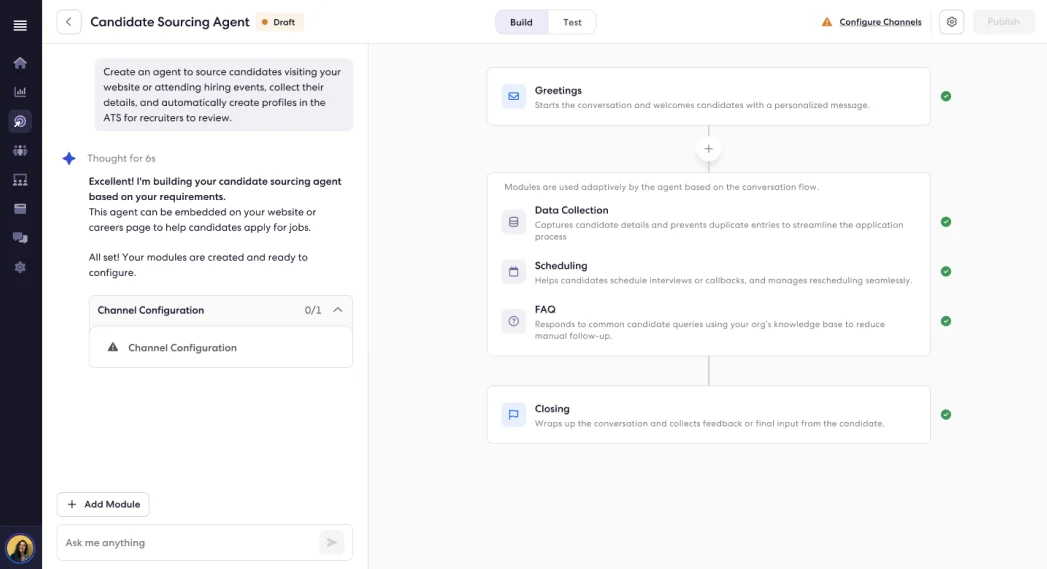
V3: only key modules shown, already configured, in the candidate sourcing agent

1. Show only key modules, and they come configured. Recruiters approve or change only what matters.
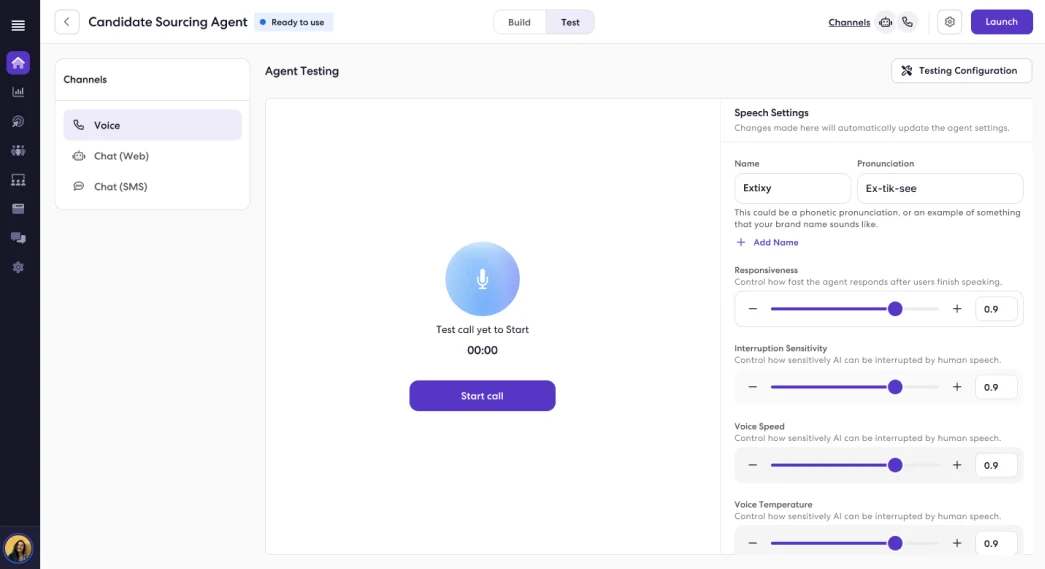
V3: the Test simulator with voice, web chat and SMS channels and speech settings

2. I introduced a simulator environment (Test). Users run the agent in real-time scenarios and make changes wherever necessary.

The same room that wanted V1 back signed this off.
❇️ Prototype
🚀 Launch
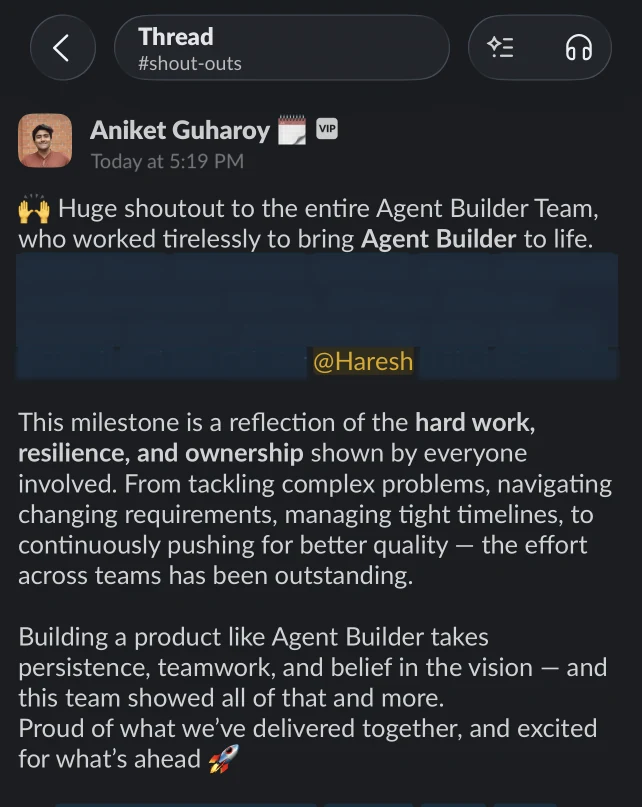
Slack shout-out from leadership thanking the Agent Builder team for bringing it to life
Impact

Adoption nearly doubled.

Within 4 months of launch, across 200 enterprise accounts.

38%
66%
AI Adoption
44%
71%
Candidate Engagement
+15hours saved
per recruiter
every week

Based on metrics from the Q1 product town hall

Customer Stories
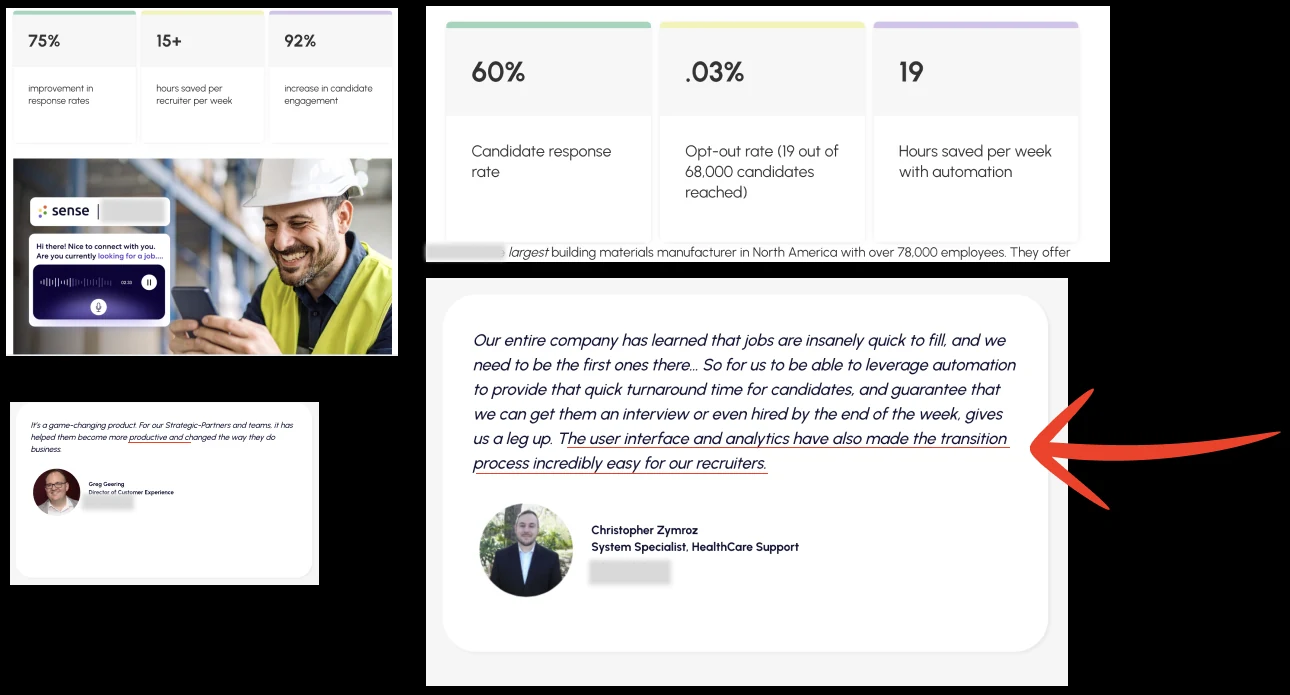
Customer stories: 75% better response rates, 15+ hours saved per recruiter per week, 92% more engagement; 60% candidate response rate and 19 hours saved per week; a customer quote on fast turnaround
✨ It didn't end there..

Agent Builder became the architecture for two more successful products.

AI Interviewer - Video interviews with identity verification and first-round screening — a step beyond voice.

AI Receptionist - An inbound call agent that answers candidate queries without a recruiter picking up.

Reflection

Keep cutting it down to MLP

I was laser-focused on shipping a minimum lovable product, and that meant V1 reached real recruiters in weeks, not quarters. What they touched and ignored became the platform for everything after.
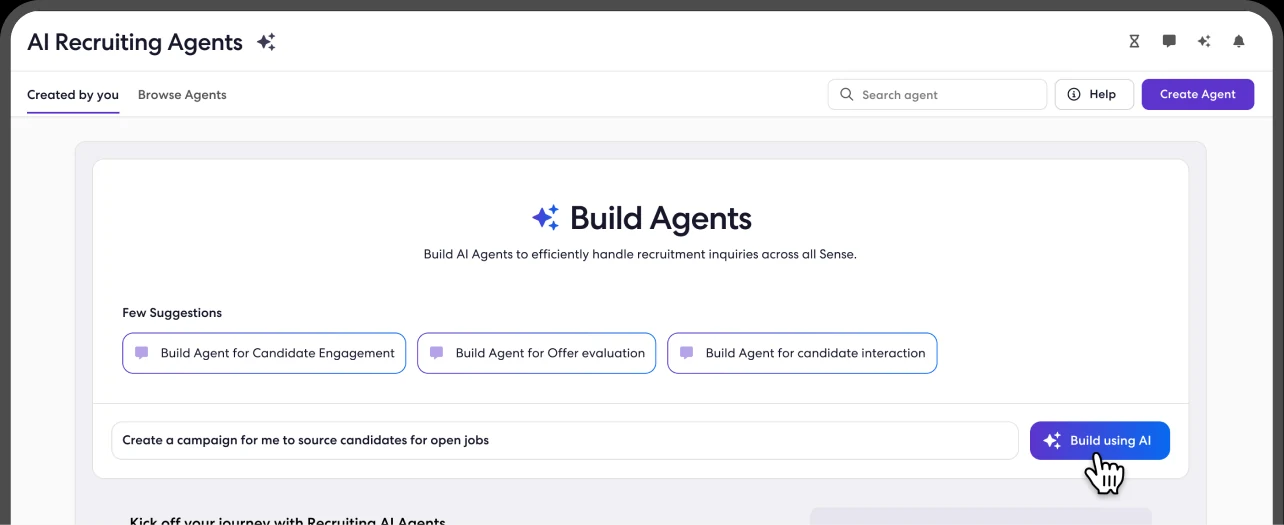
V1 Build Agents screen with a prompt to create a sourcing campaign
Reflection

Interaction documents are not contextual

I noticed my engineers sometimes missed specific design details even though they were in the interaction document, so I introduced contextual screen-level annotations that gave engineers clearer, in-context guidance beyond static interaction documentation.
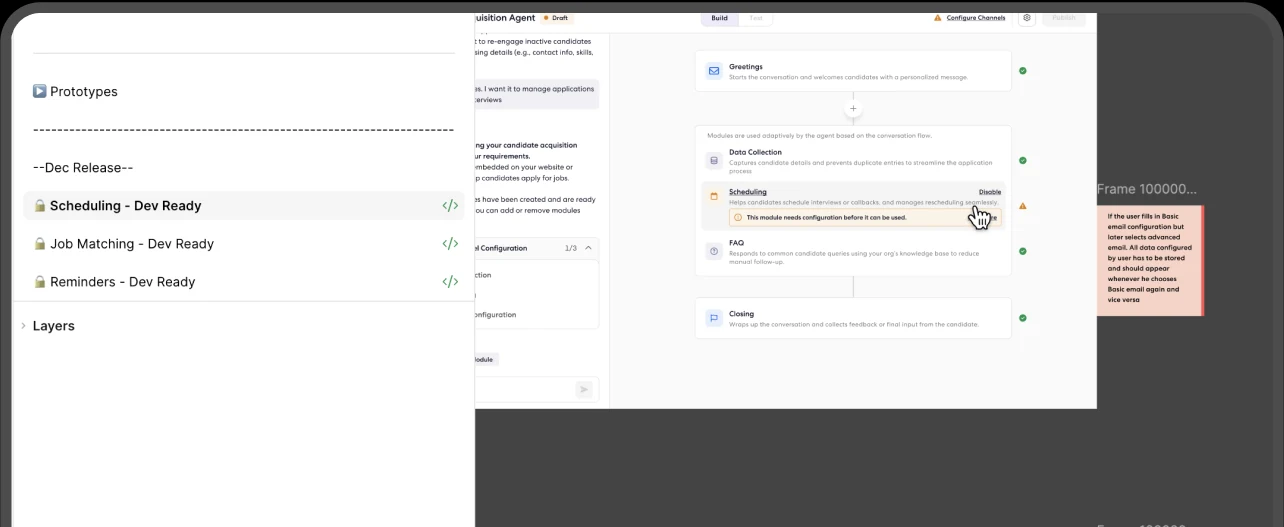
Figma file with dev-ready prototype pages and screen-level annotations next to the design
The End

Thanks for reading.

Use ← → to move through slides