From In-House Efficiency to Enterprise Power: Scaling for the Future

- My Role
- Sole Designer
- Case Study
- Revamp to enterprise
- Timeline
- 3 Months
- Team
- 2 PMs & Engineers
Tekion is a cloud-based platform that helps automotive dealerships manage everything, from sales and service to operations, in one unified system. It replaces outdated, clunky dealership software with modern, fast, and intuitive tools built for today’s digital world.
Tekion powers 3,000+ dealerships and is trusted by multiple OEMs. Over 440,000 vehicles have been sold through the platform.
Tekion recognised a significant market opportunity to strengthen its value proposition by addressing a critical disconnect:
While dealerships rely on Tekion for core operations like CRM, DMS, and parts management, customer support still runs on fragmented third-party tools, leading to broken workflows, inconsistent experiences and additional training.
With everyone in the company having a different version of this “solve everything revamp” project, aligning our goals was my first challenge.
I teamed up with Aiswarya and Shaan, fellow PMs, to run a design kickoff workshop. We began with a thorough discussion of the project’s objectives, and aimed to answer two key questions:
1.How might we simplify the customer support process, reducing the current resolution time?
2.How can we set Tekion’s customer portal apart in a crowded market, and establish ourselves?
📝 User interviews
Conducted in-depth interviews with active users, customers, and stakeholders, using a questionnaire co-created with the product team.
- 14 Active Agent Interviews
- 03 Stakeholder Interviews
- 08 Customer Agent Interviews
Many power agents expressed frustration over repeating the same responses or answering very basic queries
Agents expressed frustration over a lack of self-resolution methods
Support workflow was fragmented and had inconsistent metadata
Teams were spending 20% of their time resolving triage errors
Lack of visibility for support managers & executives to improve overall efficiency
Need advanced dashboards and audit trails for in-depth ticket and agent performance data
In today’s enterprise support systems
Time is the most valuable asset
With a baseline understanding of the requirements, research surfaced two primary personas and their pain points.

- Had to undergo separate training to use third-party tools that aren't integrated with Tekion, leading to extra time and learning effort.
- In case of bugs or issues, has to manually switch between platforms, increasing the chance of errors and slowing down response times.
- Struggles with clunky, non-intuitive interfaces that aren't optimised for the dealership context.
- Moves between the showroom, service floor and delivery areas. Third-party tools that aren’t built for mobile or tablet disrupt this on-the-go workflow and delay real-time responses.
- Third-party tools may not show complete interaction history, previous service records, or deal context.
The second persona represents Tekion’s new target group.

- Often lack access to full customer history, past service interactions, or vehicle details, forcing them to piece information together manually.
- Frequently switch between the support tool, dealership systems (like DMS/CRM), and internal portals.
- Struggle with clunky, non-intuitive interfaces that aren't optimised for the dealership context.
- Support tools lack real-time collaboration like tagging technicians or looping in sales/service advisors, forcing agents onto email or Slack.
- Tickets get misrouted or poorly prioritised, leading to longer resolution times and frustrated dealer users.
Picking up the Pieces
In just four years since 2018, the internal tool grew from a minimal support portal into a slew of disparate features that made the experience slow and complex to use.
I realised it would struggle to scale alongside the company’s hyper-growth. Fundamental usability was challenged, features and experiments competed for focus, and reliability and performance issues were alarming.
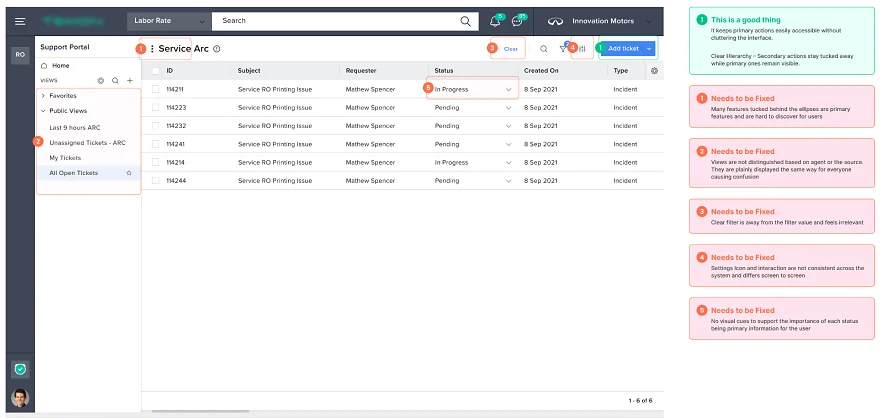
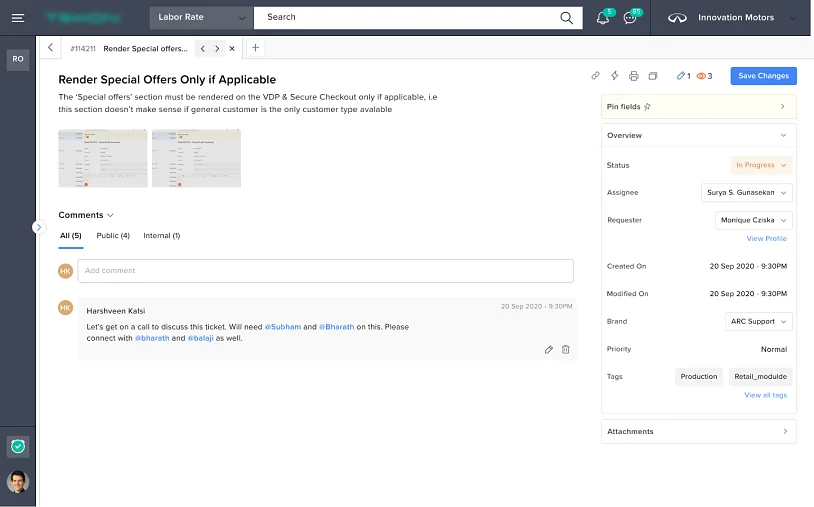
- Fragmented communications
- No visual hierarchy
- No knowledge base or Jira integrations
- Lacks ticket context for the agent
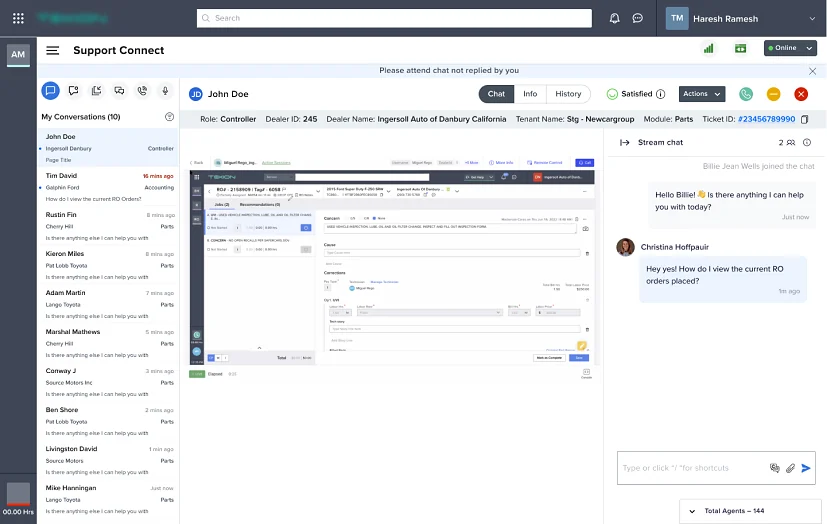
- Separate module for chat, apart from tickets
- Has to redirect for every action
- Cluttered UI
Benchmarking our internal portal against market leaders
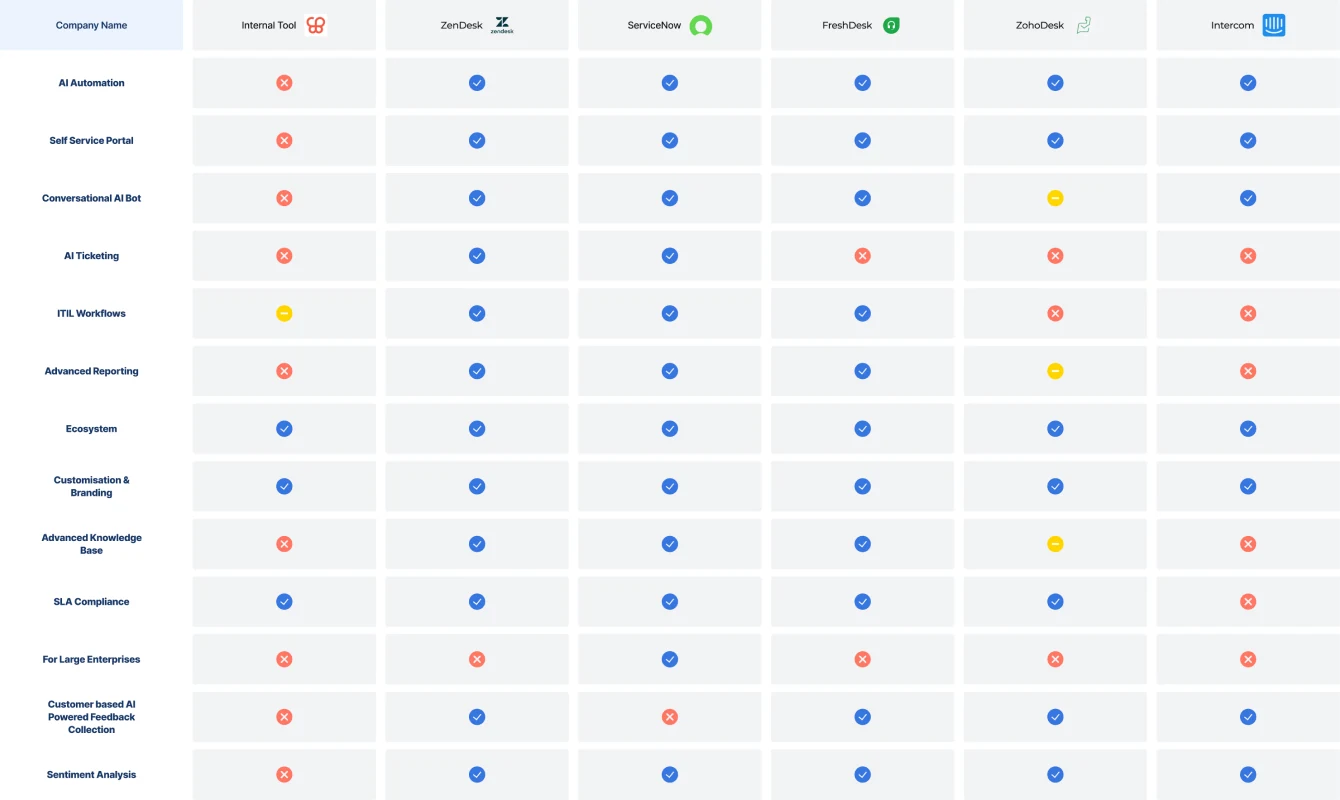
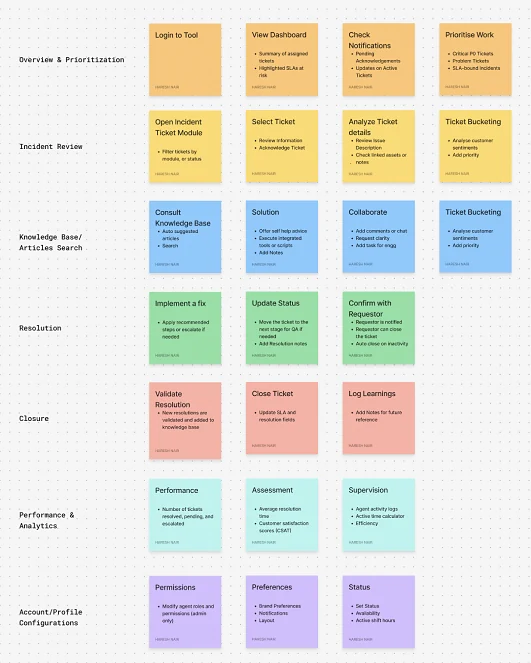
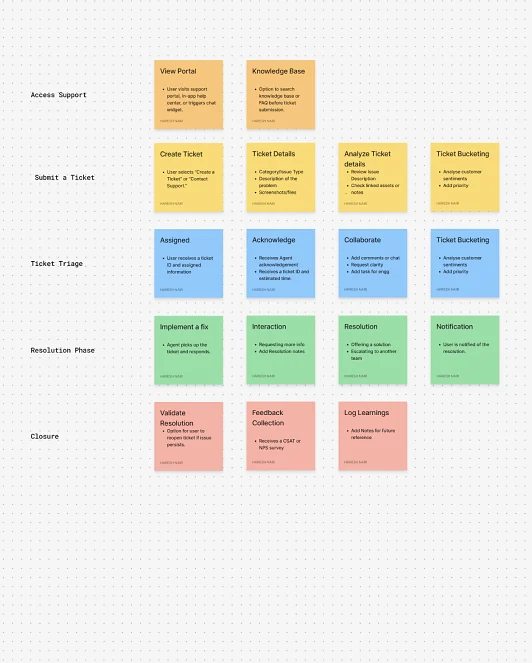
To prioritise features by their value and implementation difficulty, keeping the team focused on high-value, achievable goals.
Quick Wins High impact, less effort
- Ticket creation & submission
- Real-time ticket tracking
- Mandatory fields
- Notification centre by criticality
- Ticket dependencies
- Automated status
- CRM, DRP, TM integrations
- Agents & skill management
- Escalation levels
- Agent notes & internal collaboration
- Centralised knowledge base
- Agent performance analytics
- Ticket source management
- Customer dashboard
- Resolution creation
- Email & web ticket submission
- Live agent availability
- Two-factor authentication
- SLA configurations & alerts
- Audit logs & activity tracking
Big Bets High impact, high effort
- Bulk ticket upload
- Real-time dashboards
- Workflow manager
- Automated ticket assignment
- Problem tickets
- Database for resolutions
- AI-powered article recommendations
- Third-party comment management
- Multiple active tickets
- CSAT surveys
- Intelligent routing by volume
- Audit trails for accountability
- Role-based access control
- Conditional rendering
- Multi-language support
- Personalised recommendations
- AI chatbot
- Rule-based automation
Nice-to-Have Low priority, less effort
- Phone support integration
- Jira integration
- AI summary
- Slack integration
- NLP advanced search
- Multi-level dashboards
- Predictive rating
- Support type by customer
- Agent timeline
- Guided decisions
- Article feedback & ratings
- Canned responses & macros
- Live screen monitoring
- Auto logout & session timeouts
Low Priority Low impact, high effort
- Automated resolution
- Personalised ticket layout
- Automated agent allocation
- Multi-user account support
- Ticket creation from calls
- Shortcut keys
- Predictive maintenance
- AI priority reassignment
- Tickets from third-party apps
- Merge & split tickets
- Advanced compliance audits
- Custom report builder
- Pre-filled form suggestions
- Real-time sentiment analysis
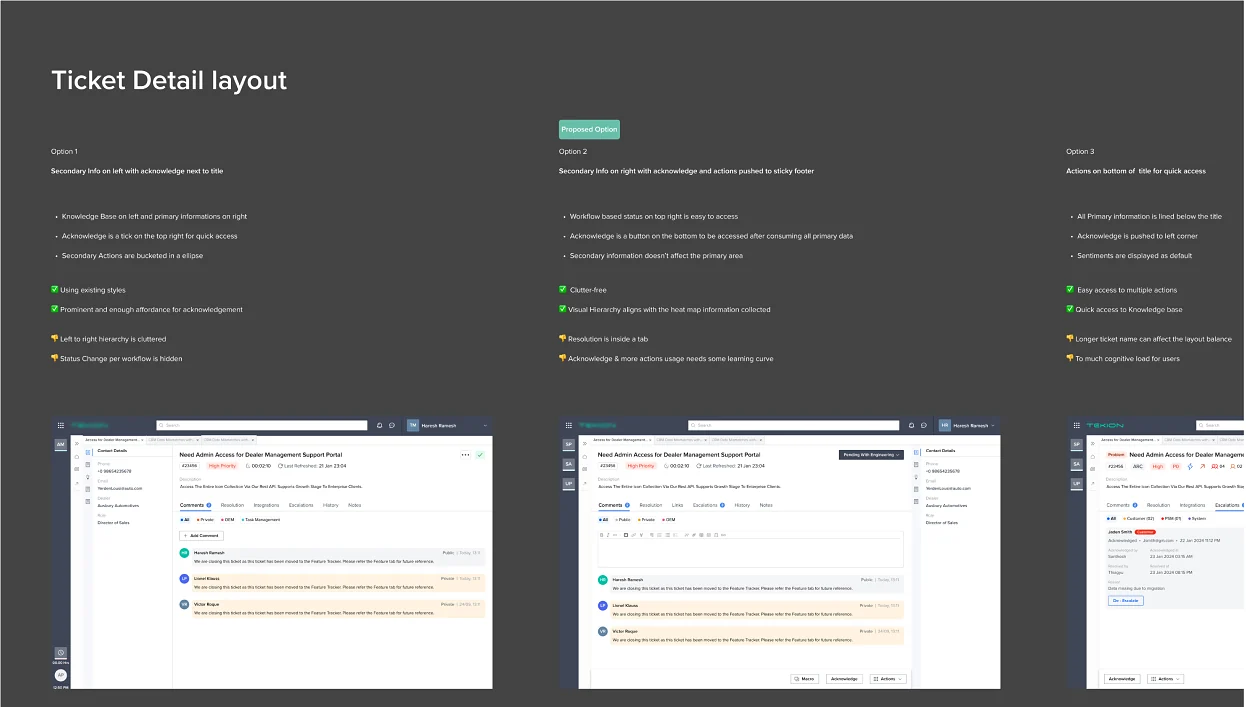
I broke ideation into focused modules. I’d sketch ideas, discuss them with the PM, then iterate and refine, from user flows to UI concepts.
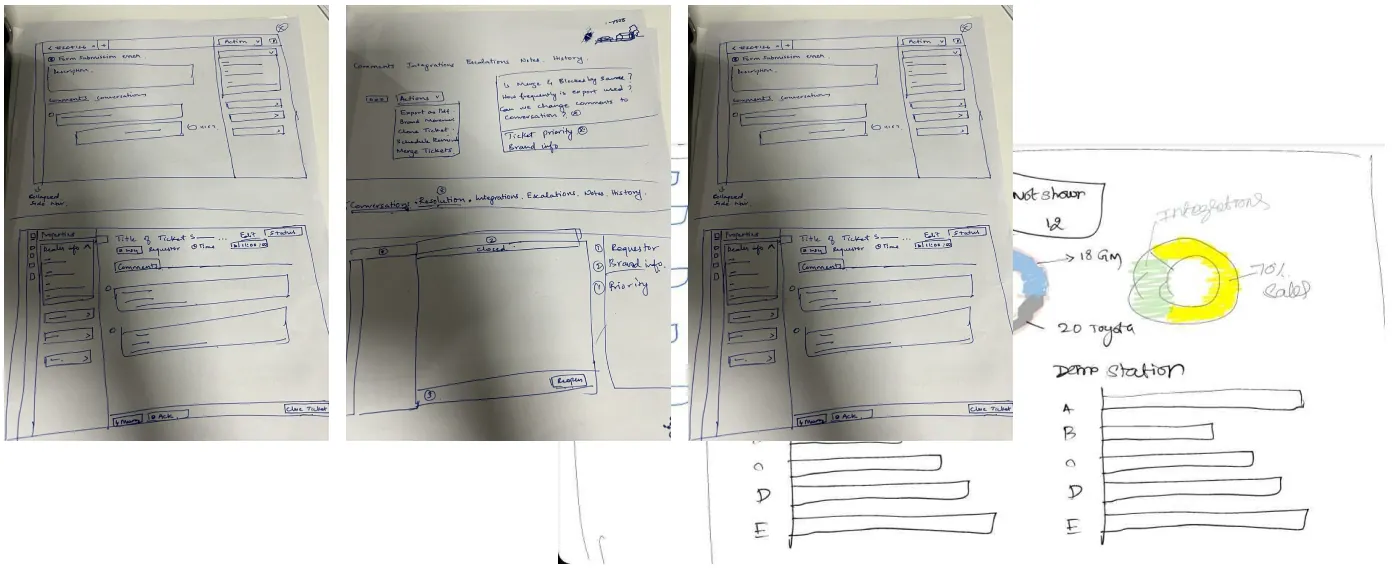
I prototyped multiple concepts, tested usability with Maze, and ran usability sessions with users before converging on a solution. I documented every finding as pros and cons, which brought clarity to stakeholder meetings.
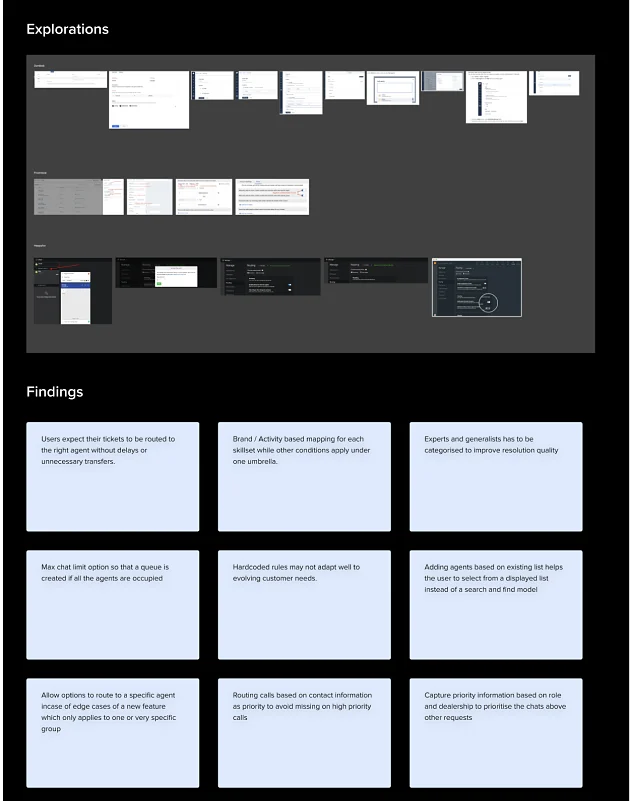
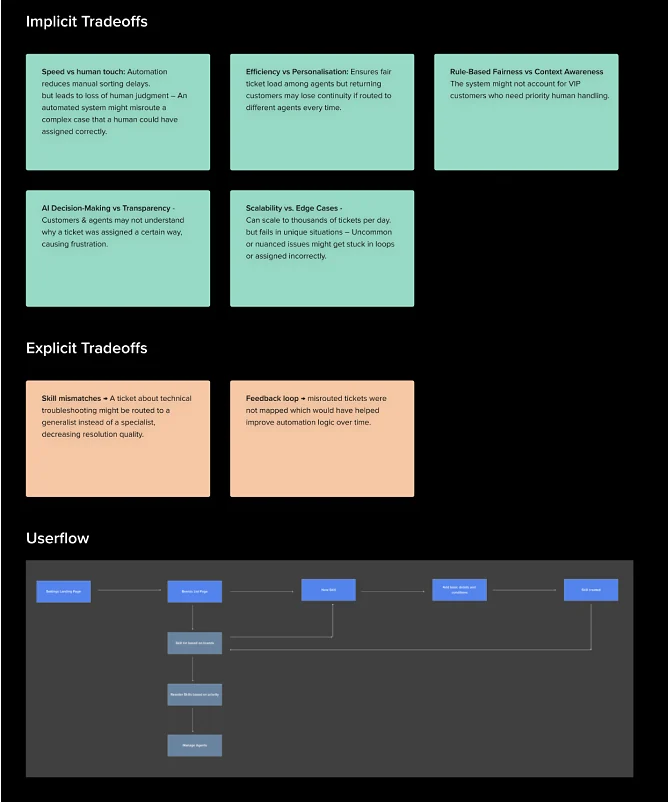
Skill-based ticket routing sends each ticket to the agent best qualified to answer it. It matches the skills a ticket needs with those assigned to agents, so a new ticket goes to the first agent who has all the required skills and can take the work.
Pain points
Keeping track of real-time updates and making sure routing logic adapts to changing conditions.
Routing tickets to agents with the right skills, across multiple brands and a frequently changing agent list.
Misrouted tickets get rerouted again and again: slower responses, more workload, lower dealer satisfaction.
Loosely defined skills send tickets to agents who aren’t familiar with them.
Language preferences and regional requirements add another layer of complexity.
As volume grows, keeping routing efficient without degrading performance gets harder.
Critical issues can be missed at high volume, hurting customer satisfaction.


What did we change?
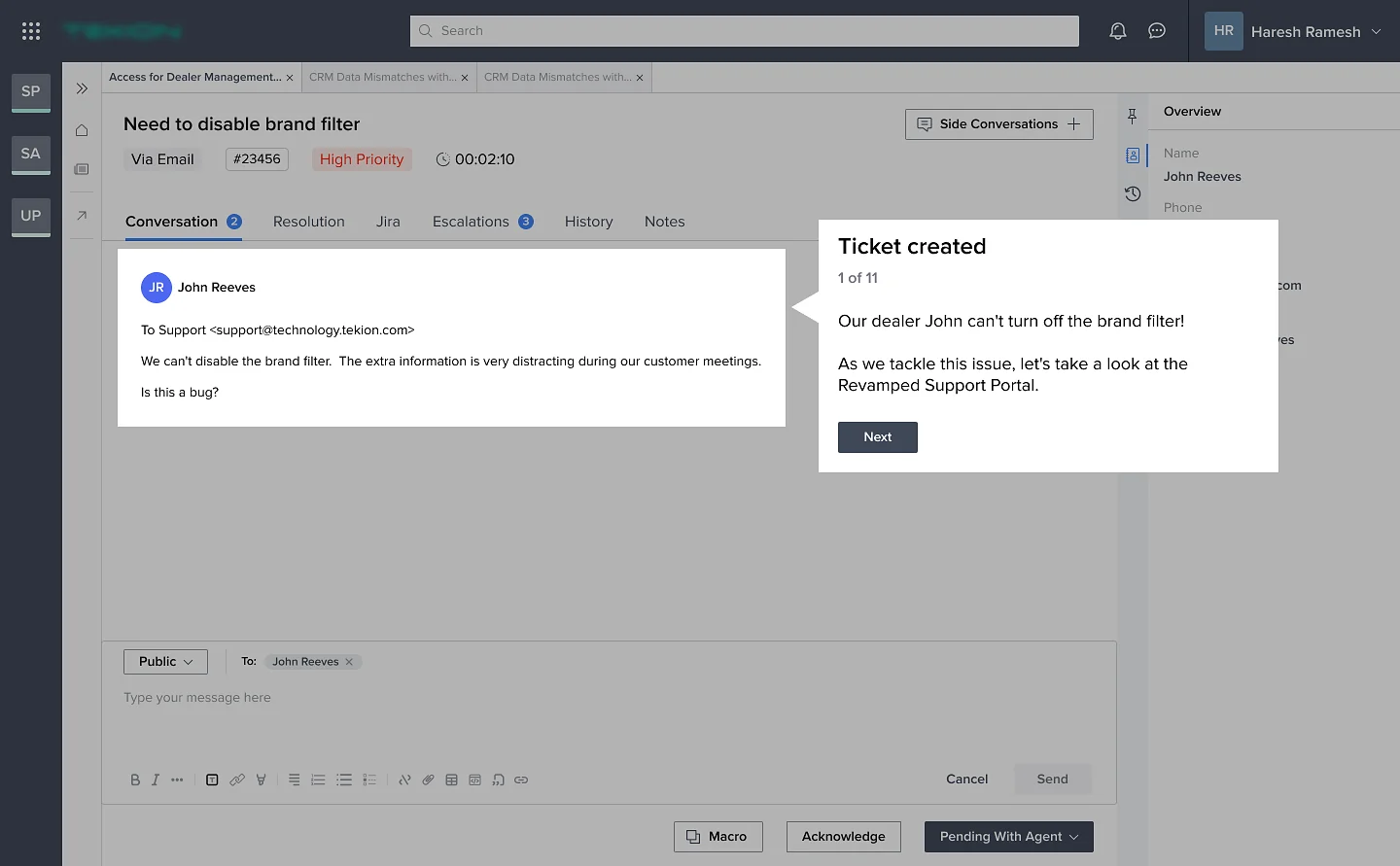
Follow one ticket through the revamped portal, then the admin side.
Ticket created
Our dealer John can’t turn off the brand filter. As we tackle this issue, let’s look at the revamped portal.
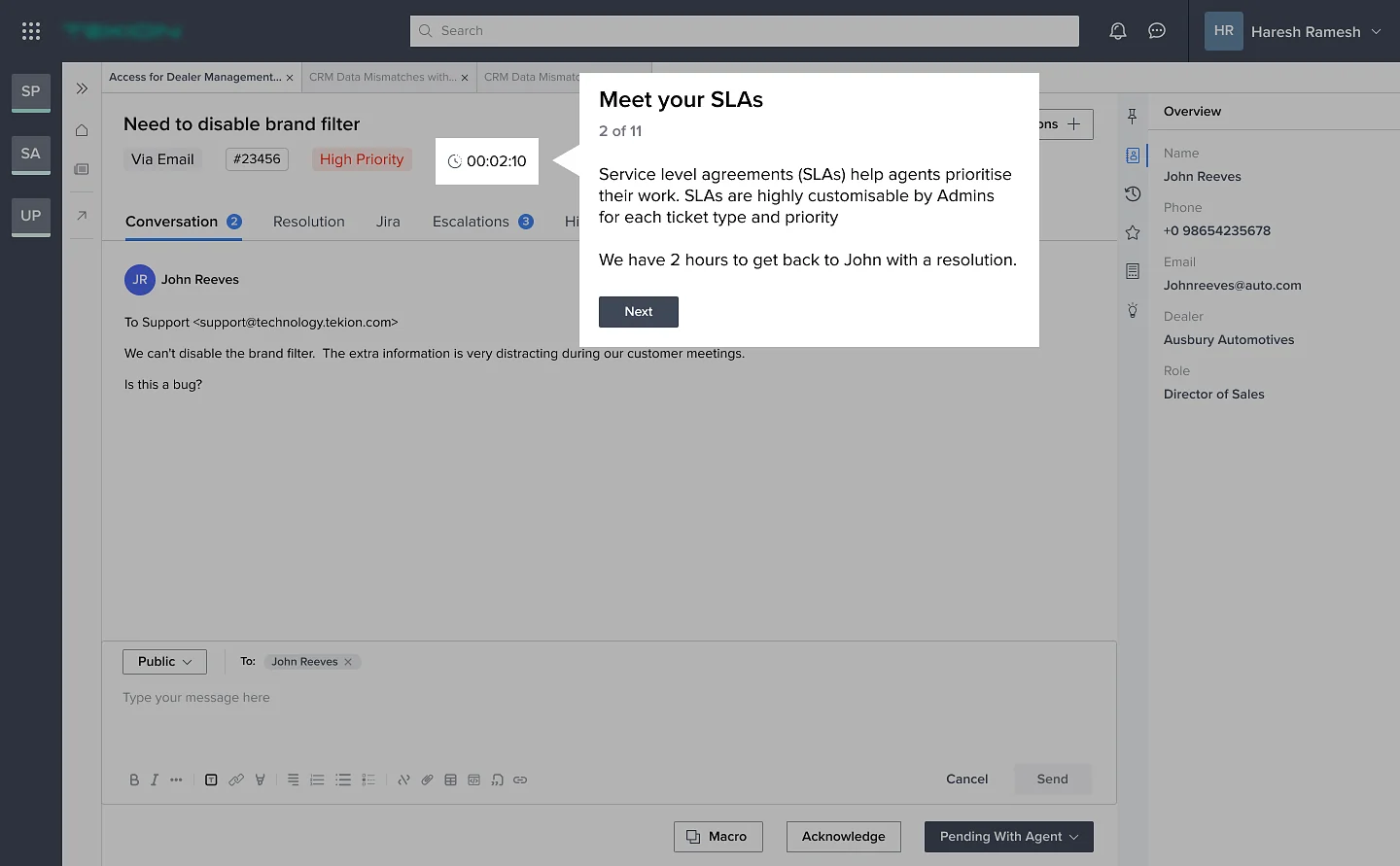
Meet your SLAs
SLAs help agents prioritise. Admins customise them by ticket type and priority. Here, we have 2 hours to get back to John.
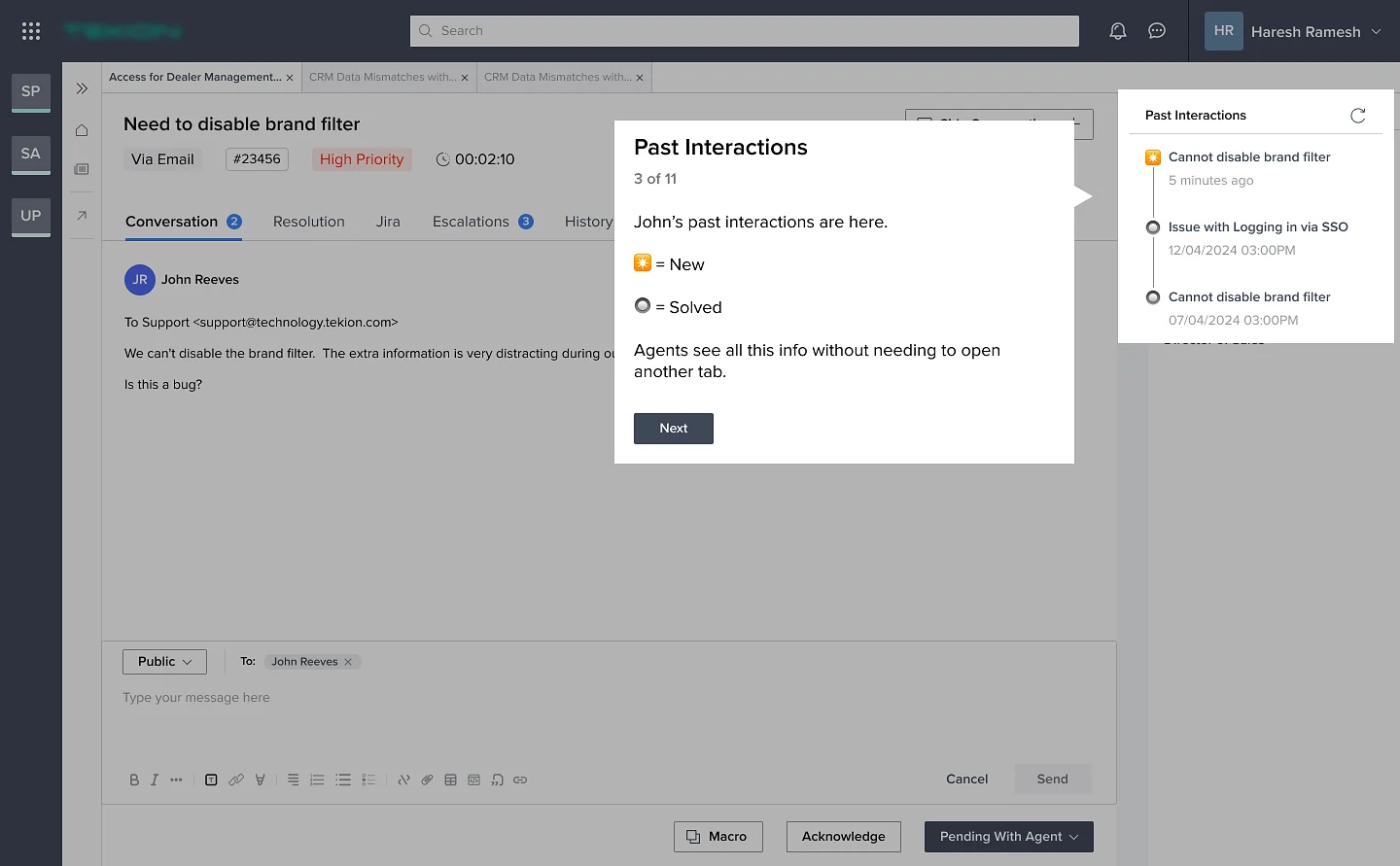
Past interactions
John’s history sits beside the ticket, new and solved, so agents never open another tab to find context.
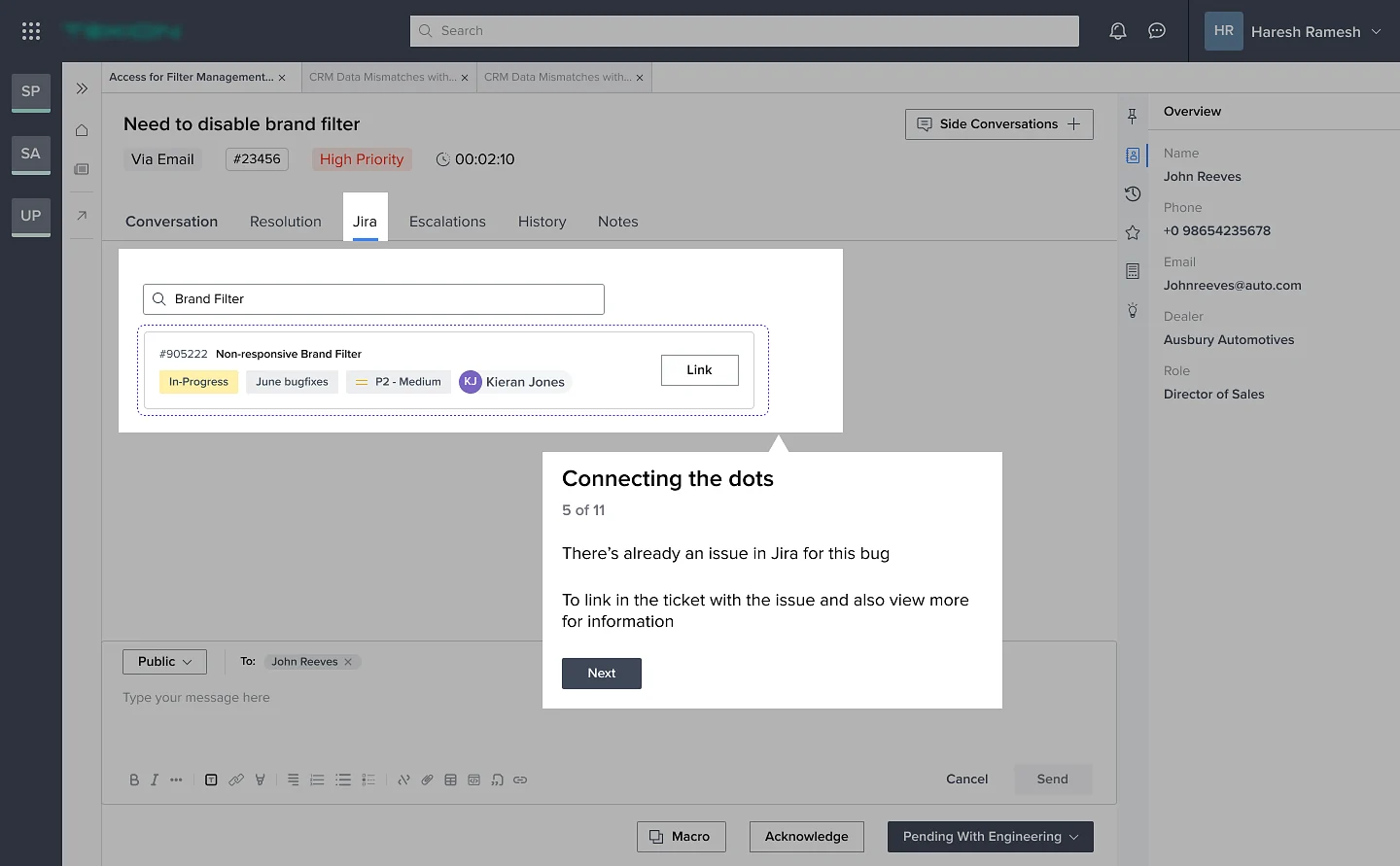
Connecting the dots
The bug already exists in Jira. Agents search and link the issue without leaving the ticket, and the status moves to Pending with Engineering.
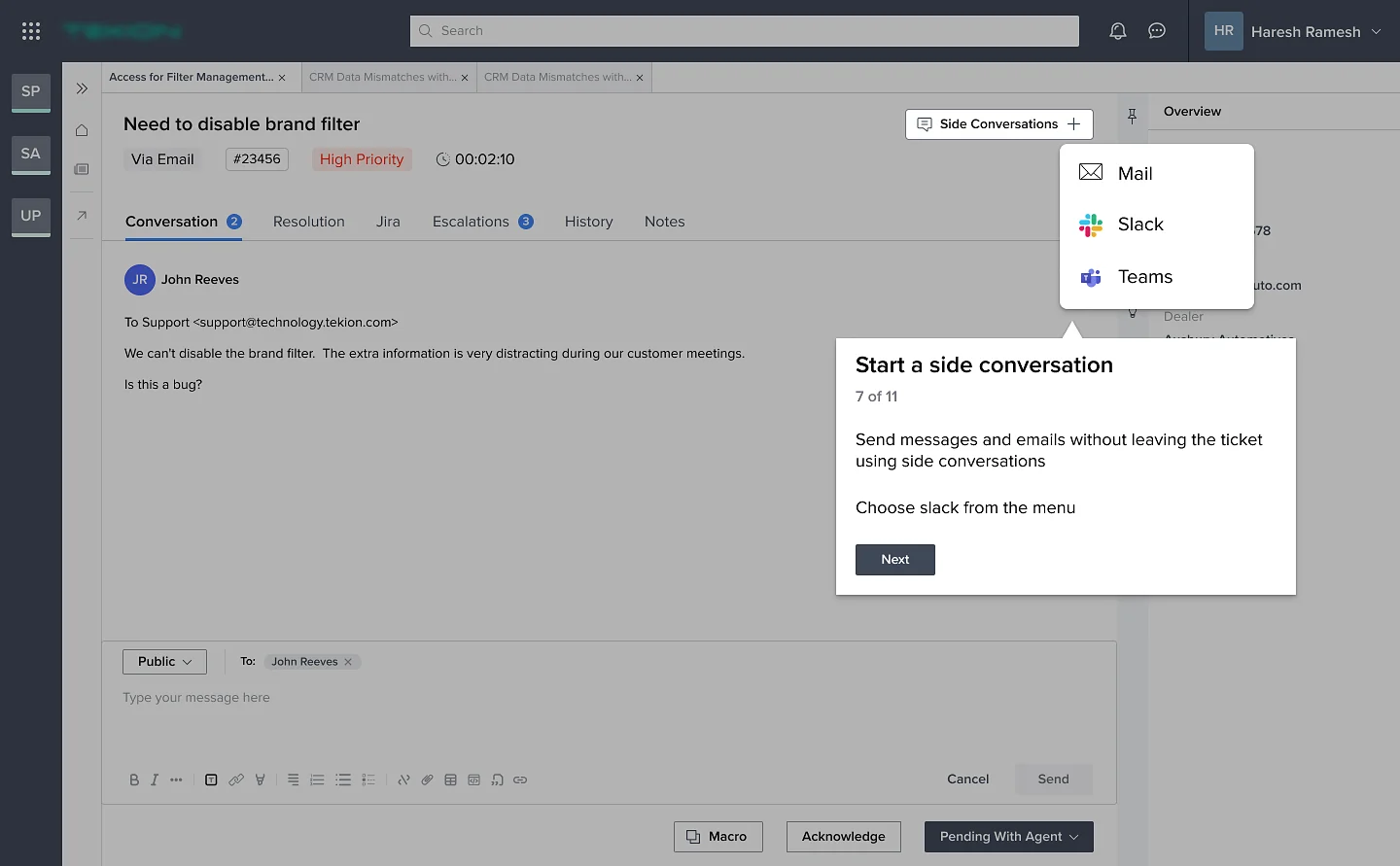
Side conversations
Message engineering on Slack, Teams or mail from inside the ticket. Collaboration no longer means switching tools.
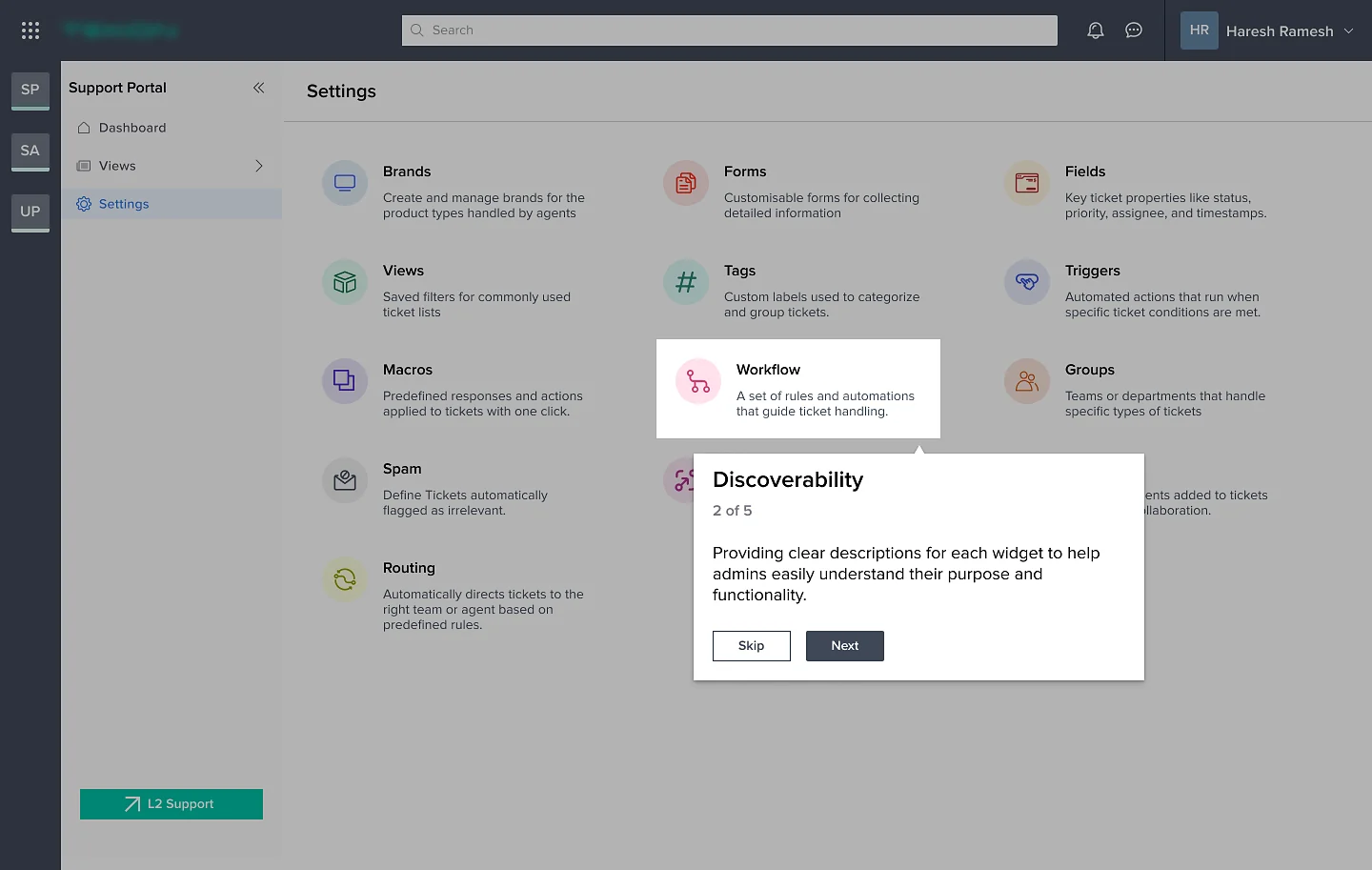
One hub for all configurations
A hub-and-spoke model: every setting branches from one central page, so admins always have a single place to come back to.
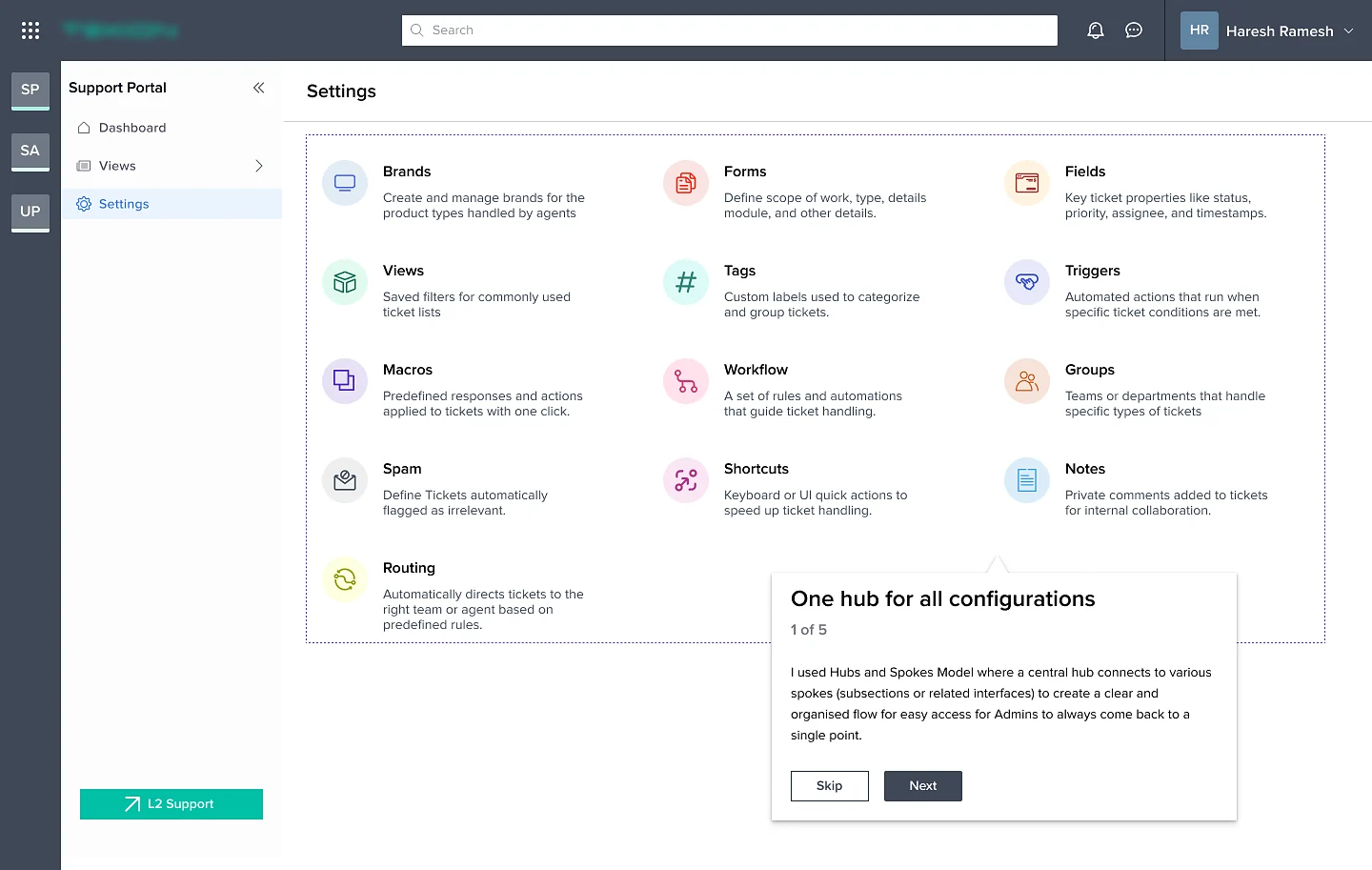
Discoverability
Every widget carries a plain description, so admins understand its purpose before they open it.
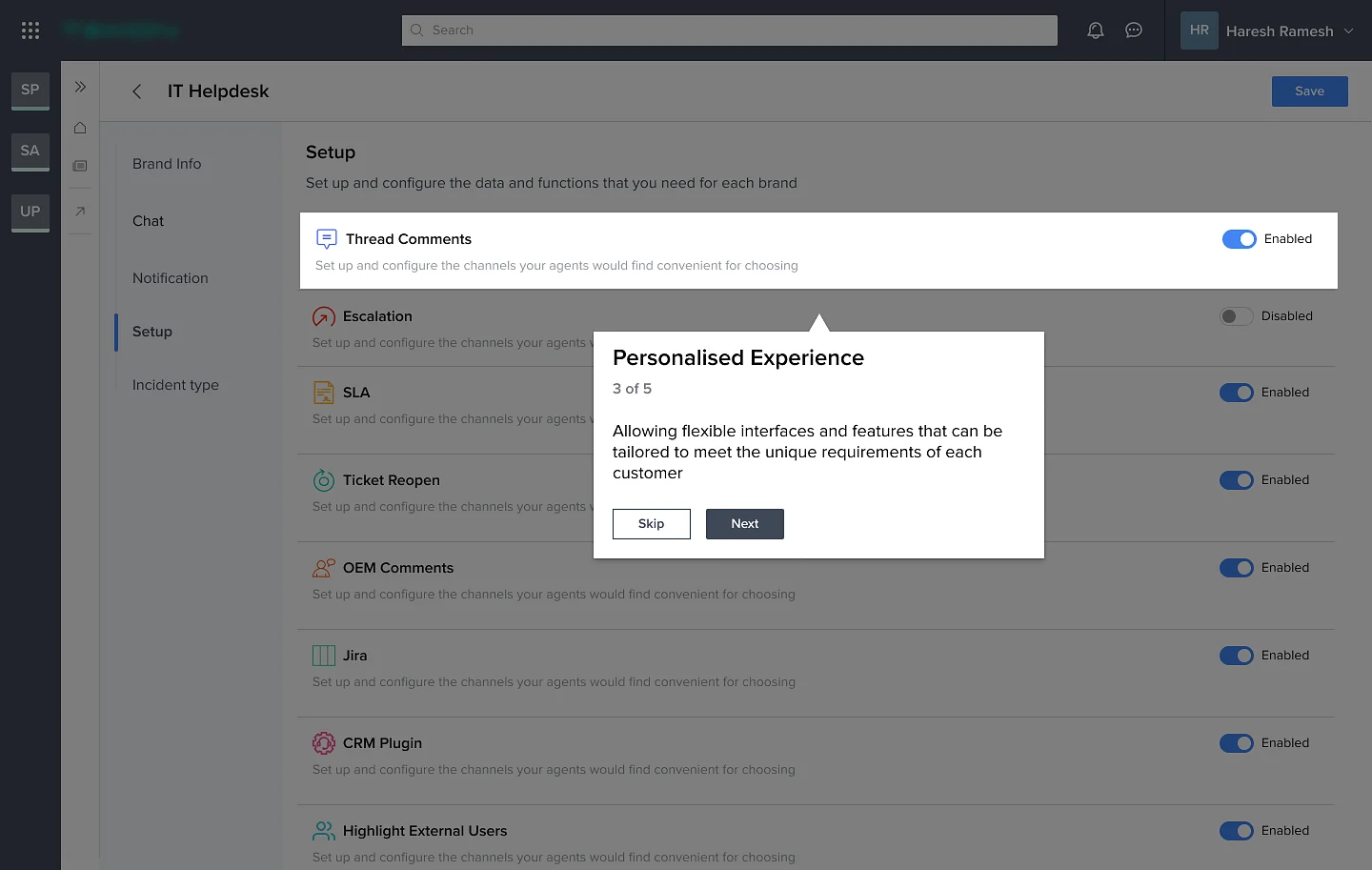
Personalised experience
Each brand switches features on or off, from thread comments and escalation to SLAs, Jira and the CRM plugin, to fit how that customer works.
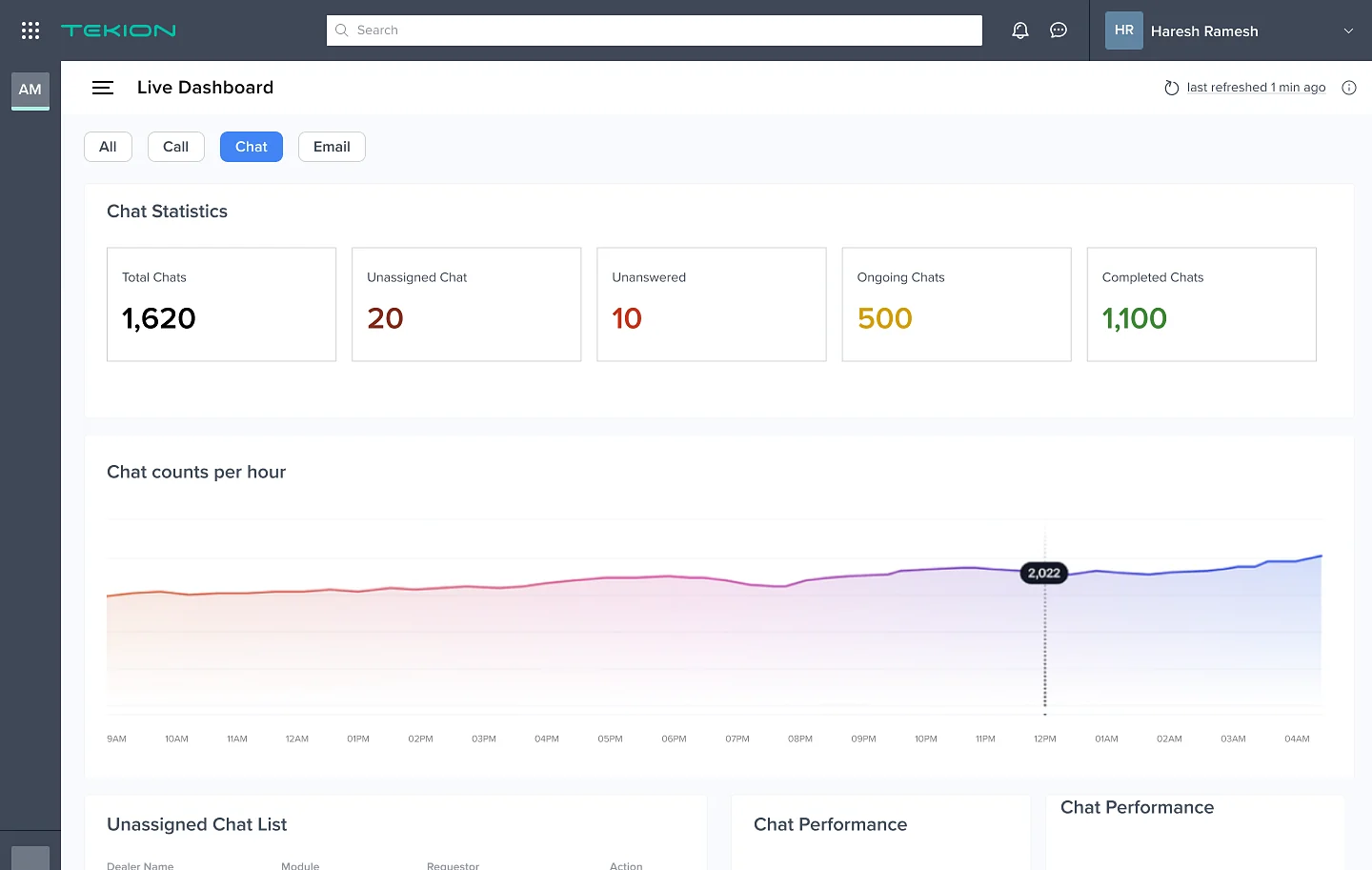
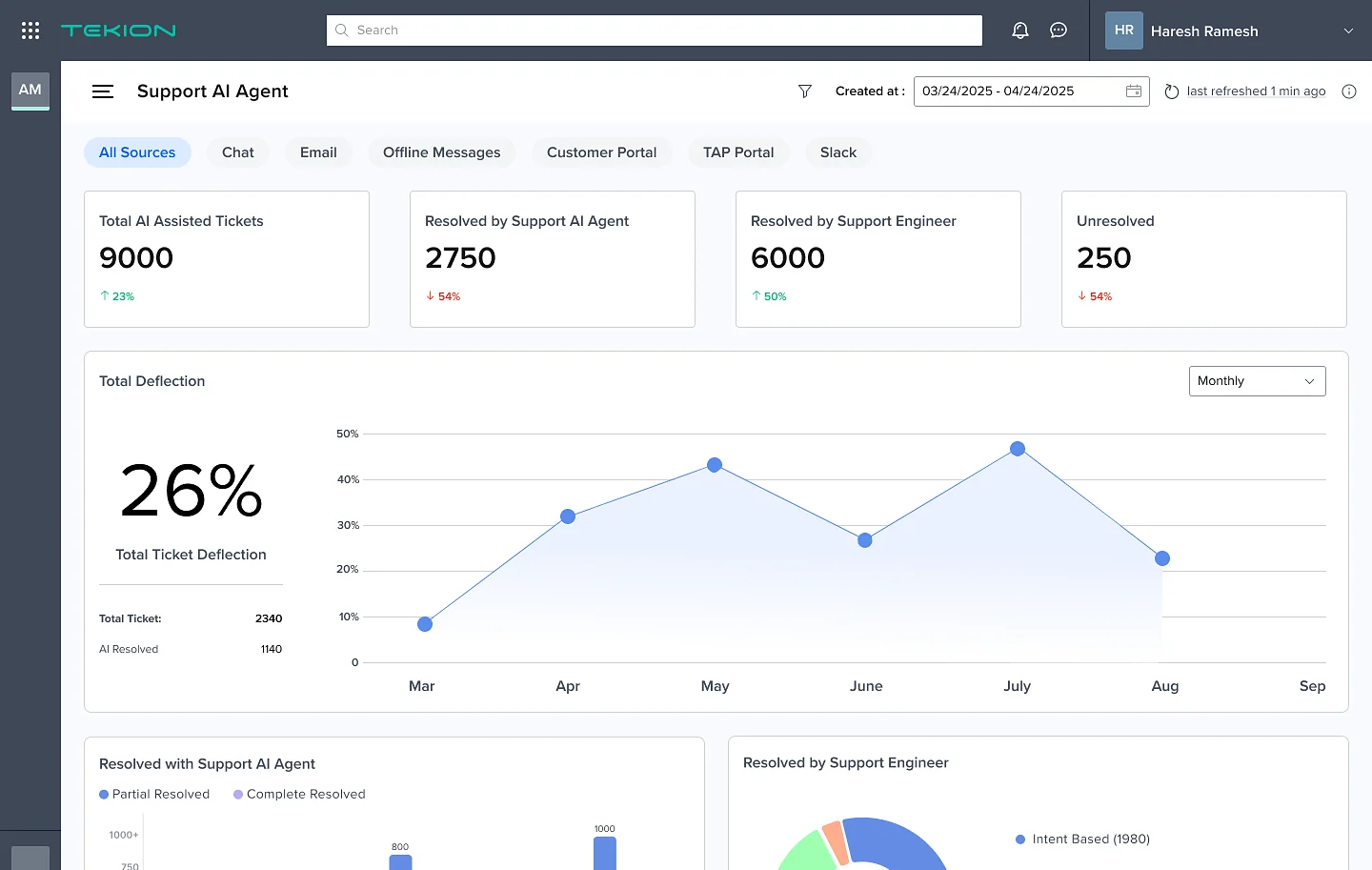
Live and AI dashboards answer the finding that managers couldn’t see performance.
Result
Post-release impact, current state, next steps
Based on the average of real-time insights captured across 3 QBRs
Since early 2024, we have been adding AI features that prioritise automation and reduce manual dependency.
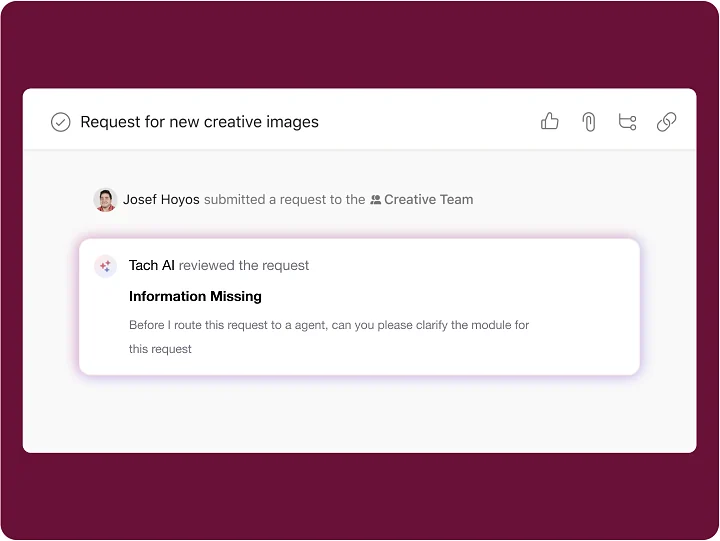
Gather essential info to kickstart resolution
- Capture new ticket requests
- Prioritise and triage each request
- Less back-and-forth between requestor and agent
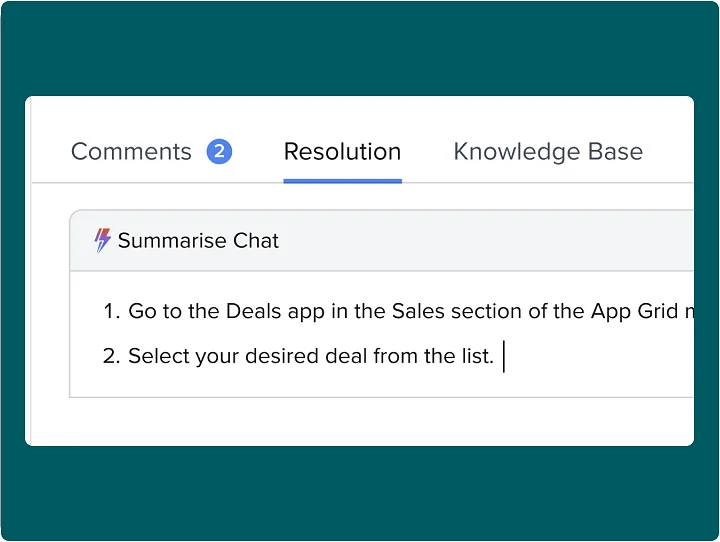
Auto-generated agent resolution
- Resolution captured from conversation history
- Replaces manual entry, saving time
- More accurate knowledge base articles
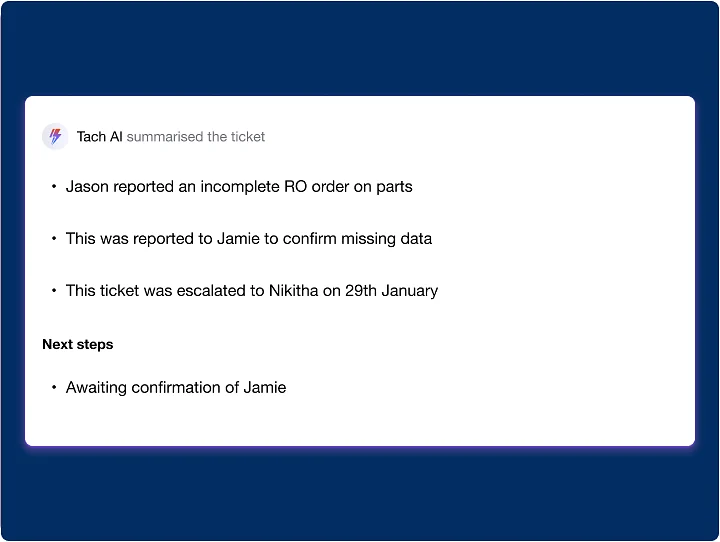
Smart ticket summary
- Summarise key actions from ticket logs
- Highlight key parameters
- Suggest next steps from previous actions
Use real support data of worst-case scenarios like long customer names, multi-line issue descriptions and large ticket volumes to stress-test layouts.
Run contextual inquiries or shadow support agents to observe how they handle tickets in real time. It reveals hidden pain points and workarounds.
We helped them manage tickets well, but customers faced a new challenge: high ticket volume and over-stretched resources.
How did we solve that?
Read the Auto Resolution Bot case study →